Back up your TPT store.
Take it anywhere.

Storeroom saves every listing in your Teachers Pay Teachers store (titles, full descriptions, prices, grades, standards, covers and previews) and turns it into ready-to-import files for Shopify, WooCommerce, Pinterest, Etsy and more.

Free for 25 products · Pro $29 once · Chrome and Edge

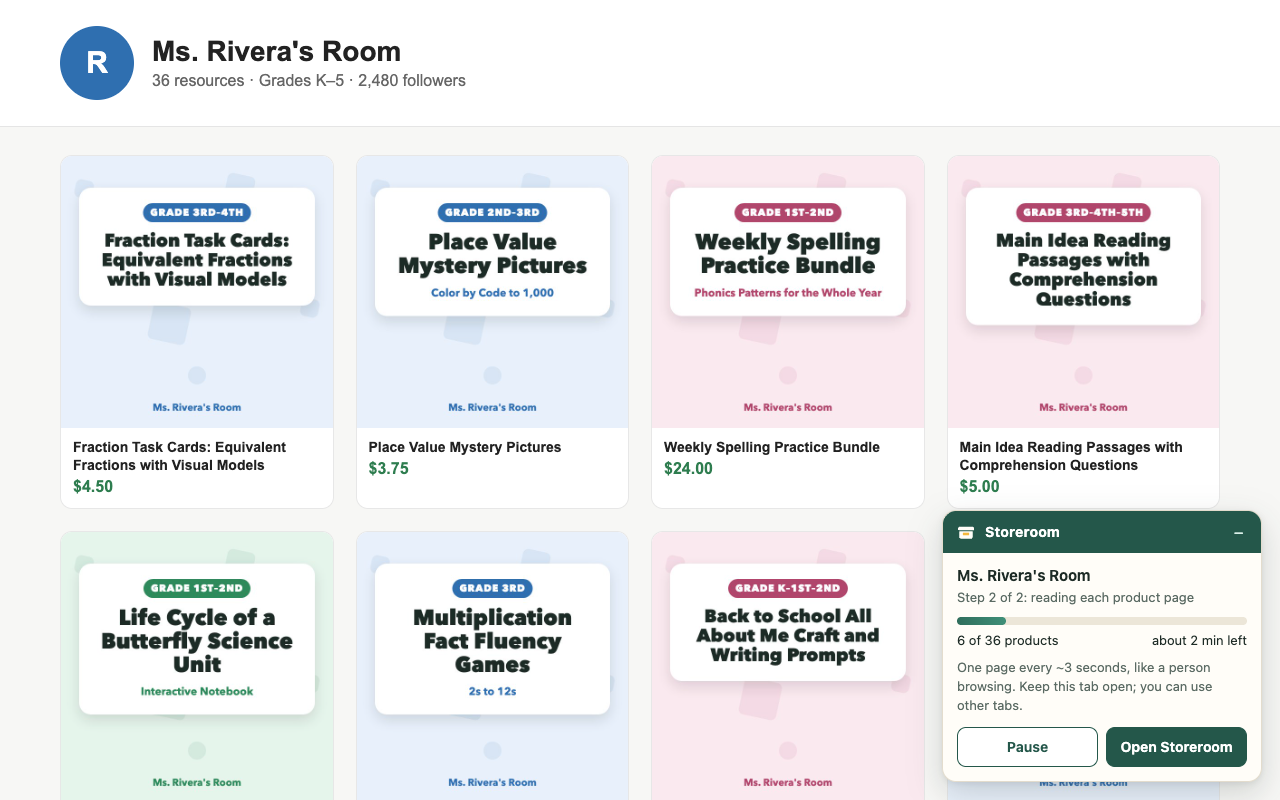
The Storeroom card backing up a TPT store

Why sellers are backing up now

TPT's new seller terms start on January 1, 2027. Sellers who opt in to the new Exclusive Seller membership (77.5% payout) may sell their teaching resources only on TPT; everyone else becomes a Basic seller (55% payout). Either way, it's your work, and a copy of your store belongs on your own computer. What changes, in plain words →

Going Exclusive?

Keep a full backup anyway, and use the WooCommerce "Buy on TPT" catalog to put your products on your own website. TPT allows that for Exclusive sellers.

Staying Basic?

Move your products to your own Shopify or WooCommerce shop, or list them on Etsy, Payhip, Gumroad, TES, Eduki or Classful, without retyping a single description.

Undecided?

Back up first; decide later. Storeroom reads your store at a gentle pace and keeps everything in your browser until you export it.

What Storeroom saves

Every listing field

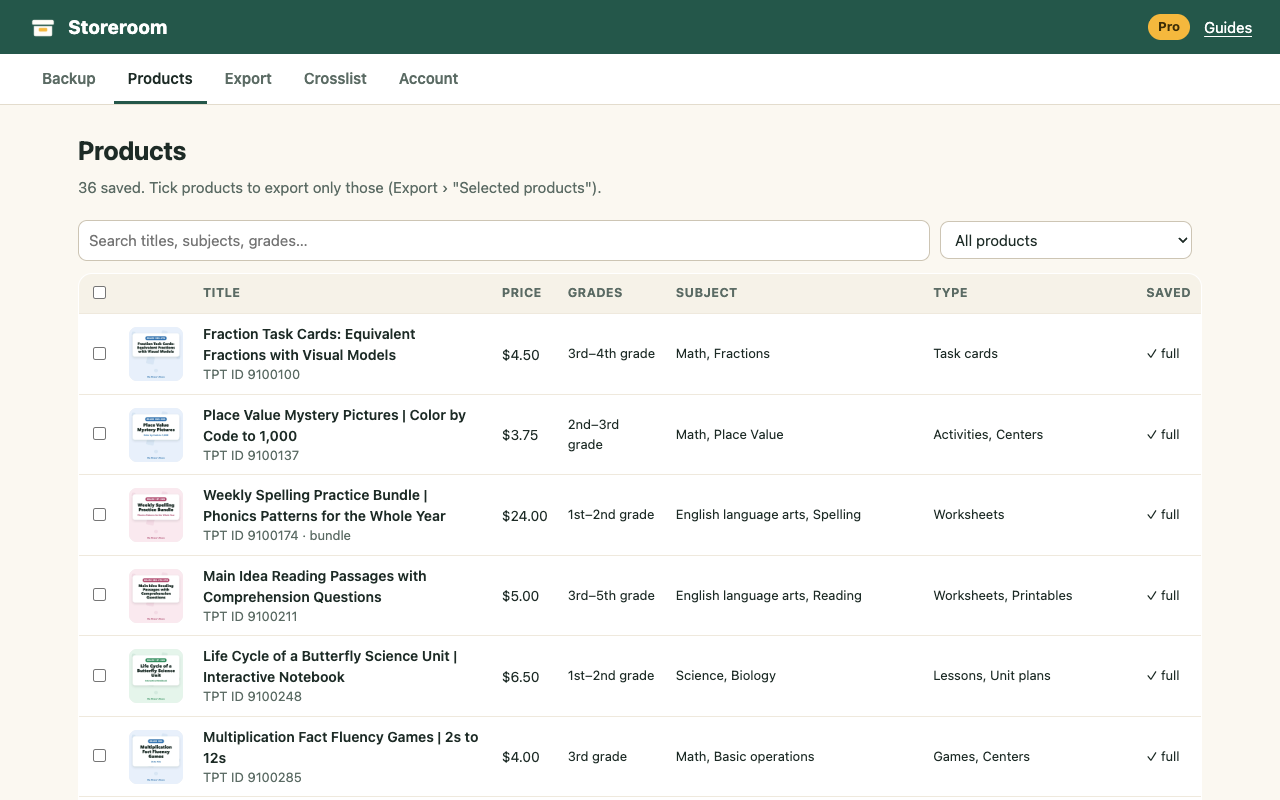
Title, full description (with formatting), price, bundle price, extra-license price, grades, subjects, resource types, formats, standards, page count, answer key, ratings and dates.

Covers, thumbnails and previews

All original-size thumbnail images and your preview PDFs, in tidy ZIP files with an index.

Your store profile

Store name, bio, teaching style, education, custom category names and social links.

Storeroom's product table

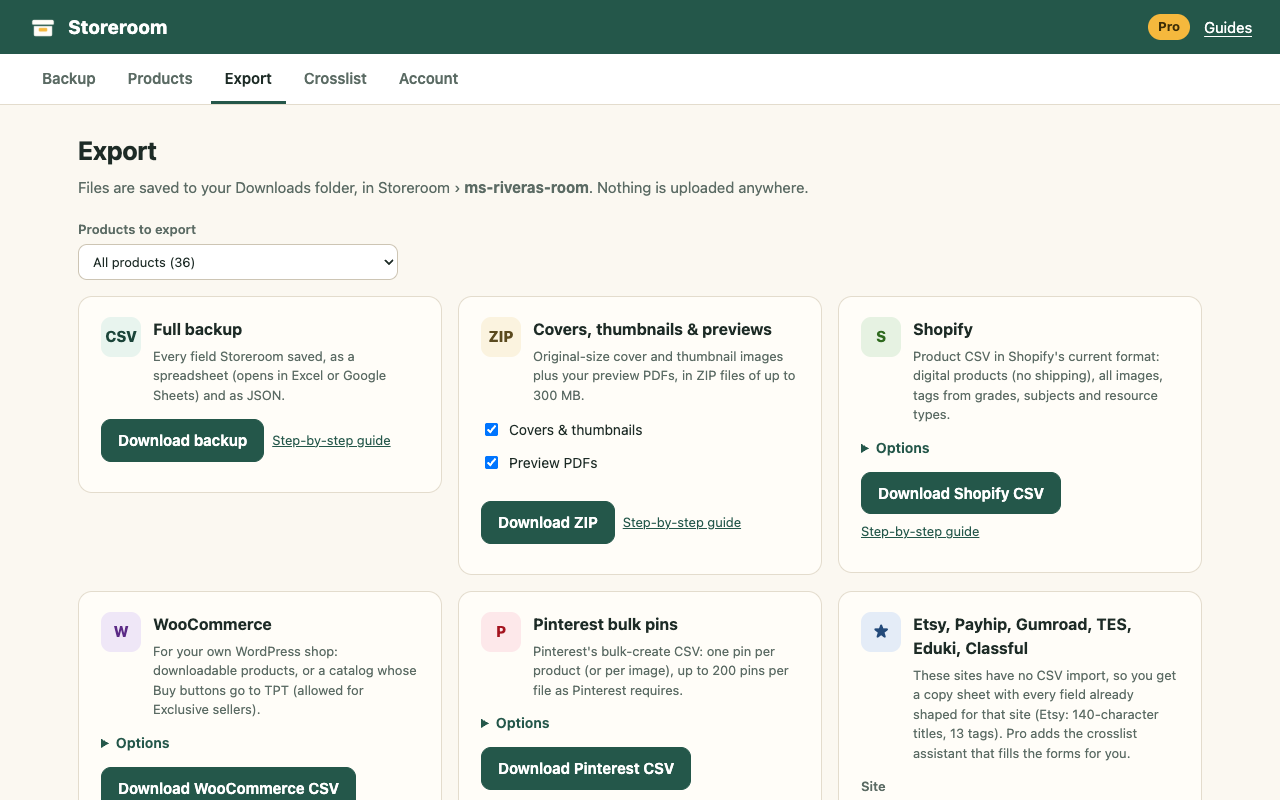
Exports, ready to import

Shopify

Product CSV in Shopify's current format, set up for digital products, with all images and tags. Guide

WooCommerce

Downloadable products for your WordPress shop, or a catalog whose buttons say "Buy on TPT". Guide

Pinterest

Pinterest's own bulk-upload CSV: one pin per product, boards by subject or grade, 200 pins per file, optional schedule. Guide

Etsy, Payhip, Gumroad, TES, Eduki, Classful

None of these have a product import, so Storeroom gives you copy sheets, and Pro adds an assistant that fills their listing forms. Guide

Full backup

A spreadsheet that opens in Excel or Google Sheets, plus a complete JSON file.

Your product files (beta)

Pro can also save the files buyers download, through TPT's own download links, while you're signed in.

Storeroom export options

Private by design

Read the privacy policy

Pricing

Free

$0
  • Finds every product in your store
  • Full details, backup and every export format for 25 products
  • Copy sheets for 6 marketplaces

Pro

$29 once
  • Your whole store: unlimited products and exports
  • Your product files (beta)
  • Crosslist assistant for Etsy, Payhip, Gumroad, TES, Eduki, Classful (beta)
  • 30-day money-back guarantee

Get Pro

Install the free extension first (Get Storeroom), then unlock Pro with the license key Gumroad emails you.

Questions

Is this allowed by TPT?

Storeroom reads the same public store and product pages you can open yourself, only for the store you're signed in to, at a person's pace. TPT's Terms of Service say sellers keep the rights to their own content. Storeroom doesn't copy TPT's own site design or code, and it never publishes anything for you. It is not affiliated with TPT.

Do I need to give Storeroom my TPT password?

No. Never. Storeroom works in your browser where you're already signed in. Be careful with any tool that asks for your TPT password.

How long does a backup take?

About 3 seconds per page: 1,000 products take a little under an hour. You can keep working in other tabs, pause any time, and it picks up where it stopped.

Does it save my product files (the PDFs buyers download)?

Storeroom saves your listings, images and previews. Pro can also try to save your product files through TPT's download links while you're signed in. That part is in beta, because TPT controls those links. Your original files on your own computer are the safest copy.

Will my Shopify or WooCommerce products be ready to sell?

Titles, descriptions, prices, images and tags come across, as drafts by default so you can review them. You attach the actual product files in your new shop (the guides show how).

What if I'm going Exclusive?

Keep a backup anyway. TPT's Exclusive rules still allow your own website if its Buy buttons send people to TPT, and Storeroom's WooCommerce "Buy on TPT" catalog does exactly that.

Which browsers?

Google Chrome and Microsoft Edge on Windows, Mac and Chromebook.
Guides